Use mini fact sheets
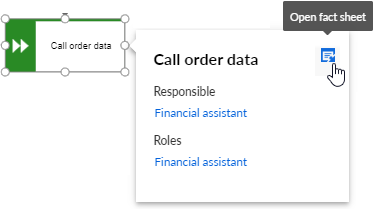
In the Diagram fact sheet, you can display mini fact sheets for selected objects if you have turned on the display of mini fact sheets.
Procedure. Procedure
To activate the mini fact sheets, click
 Show mini fact sheets at the bottom of the diagram. The mini fact sheets are activated
  .
.To display a mini fact sheet:
Move the mouse pointer over an object. The mini fact sheet is displayed as long as the mouse pointer remains on the object.
Click an object. The mini fact sheet is displayed until you click in the modeling area.
You can copy text from the mini fact sheet to the clipboard or you can jump to the Overview fact sheet of the object ( Open fact sheet).